Compress a PDF
Shrink large PDFs so they fit an upload limit — processed privately in your browser.
Need images ↔ PDF instead? PDF & image converter → · Merge PDFs →
10 free PDF compressions a month with a free account — Sign up · unlimited on paid plans
Compression settings
Works best on scanned documents and image-heavy PDFs. See the note below about text.
Before you use this — how it works
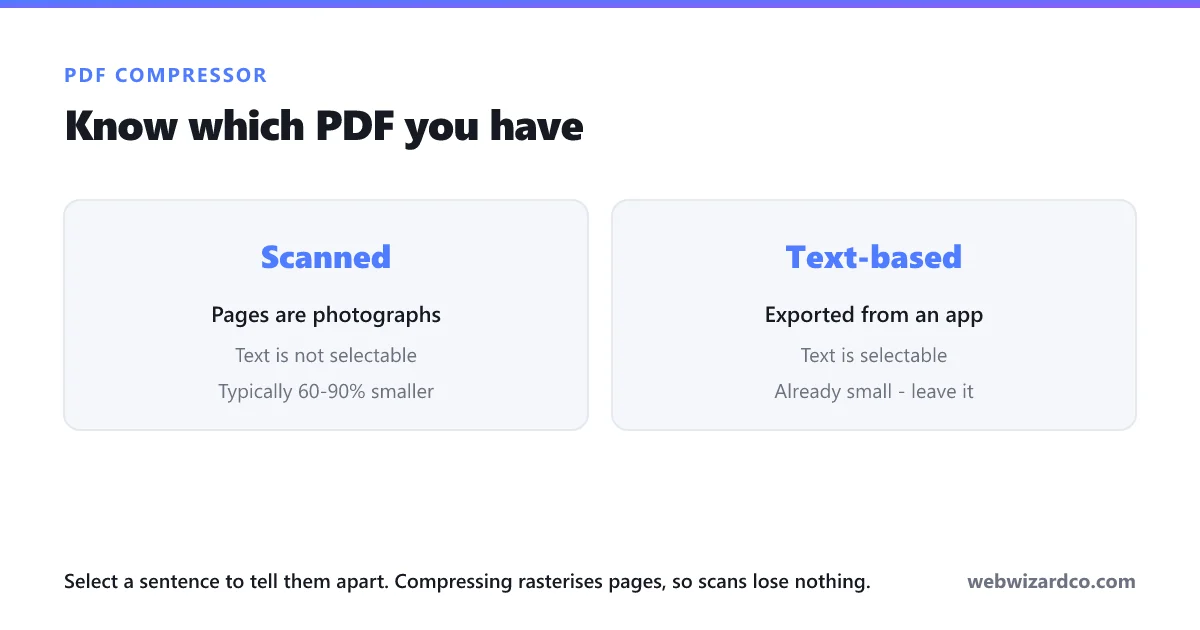
This compressor rasterises your PDF: each page is rendered and re-encoded as a compressed image. That is what makes big files dramatically smaller.
- Ideal for: scanned documents, photo-heavy PDFs, files that are too big to email or upload.
- Trade-off: text becomes part of the image — it will no longer be selectable or searchable.
- Not ideal for: text-only PDFs (they're already small, and this can make them larger) or files where you need links and form fields to keep working.
How to compress a PDF
Reduce your PDF file size in three steps — free, and private in your browser.
1
Choose your PDF
Drag and drop, or click to select the file.
2
Pick a compression level
Balanced suits most documents. Use Strong (or grayscale) for scans that need to be much smaller.
3
Download
Save the smaller PDF — free, with no watermark.
Frequently asked questions
How do I reduce the size of a PDF for free?
Open this tool, choose your PDF, pick a compression level and download. It runs in your browser, so the file is never uploaded to a server.
How much smaller will my PDF get?
Scanned and image-heavy PDFs commonly shrink by 60–90%. Text-only PDFs are already efficient and may not shrink at all.
Will the text still be selectable?
No. This method renders each page as a compressed image, so text becomes part of the picture. That is the trade-off that makes the file much smaller.
Is there a file size limit?
We do not impose one — everything runs on your device, so your available memory is the practical limit. Very large PDFs take longer.
Is my document uploaded anywhere?
No. The PDF is opened and rebuilt entirely in your browser, which matters for documents like bank statements, IDs and contracts.