We use cookies for analytics and to show ads on our free tier. Accept or reject —
either way, your images are always processed privately in your browser. Privacy
Remove image background
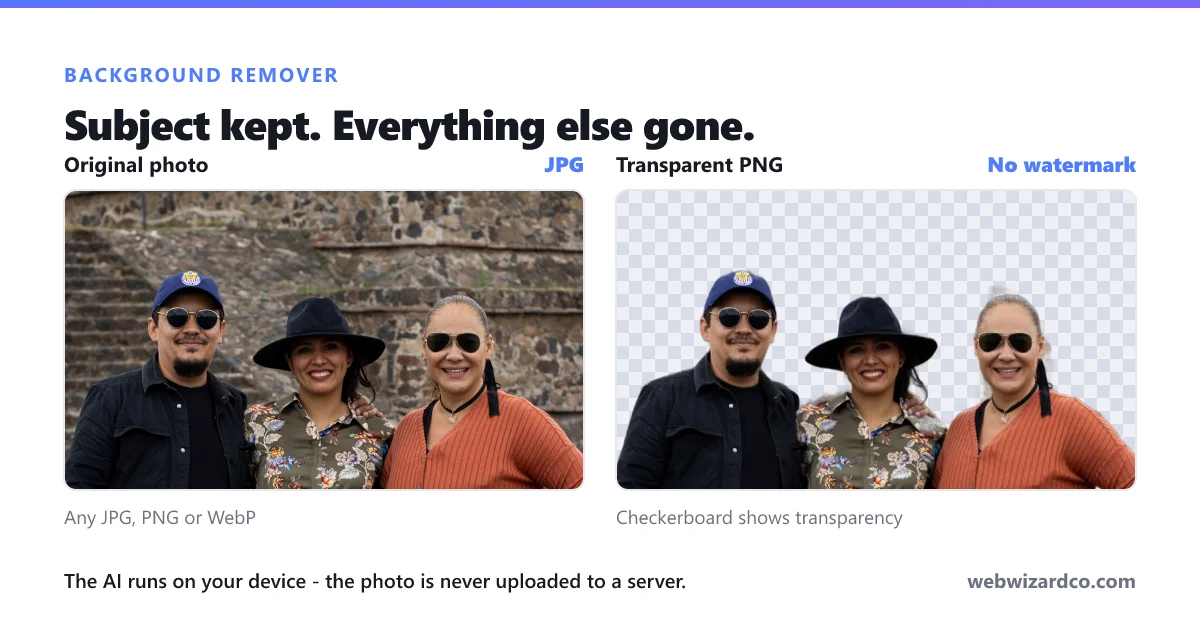
Drop an image, get a transparent PNG — processed privately in your browser.
The AI keeps the main subject and removes everything else — including
things the subject is standing on or holding, like a rock, table or chair. That's intended: it isolates
the subject, not the scene. First run downloads a one-time AI model (~40 MB), then it's cached.
How to remove a background
Get a transparent PNG in three steps — free, and private in your browser.
1
Upload your image
Drag and drop, click to choose, or paste a JPG, PNG or WebP.
2
The AI finds the subject
It runs on your device and erases everything around the subject.
3
Download the transparent PNG
Save the cut-out — free, and with no watermark.
Frequently asked questions
Why did it remove the rock or chair my subject was on?
The model isolates the main subject and treats everything else as background — including whatever the subject is sitting on, standing on or leaning against. That is how automatic background removal works: it recognises the subject, not the scene. If you need to keep an object, crop the photo so that object reads as part of the subject, or add it back afterwards.
Why does it sometimes take a while?
The first run downloads a one-time AI model of about 40 MB — that is the slow part, and it is cached afterwards. Speed then depends on your device, because the AI runs locally. Where your browser supports WebGPU we use your graphics card, which is much faster than the processor-only path.
Is the background remover free?
Yes — unlimited removals, no watermark, and no sign-up needed to use it or download. Free downloads are resized to 500px on the longest side; paid plans give full resolution.
Does it work well on hair?
Yes, hair and fur are handled well because the model produces soft, partially transparent edges rather than a hard cut. Start from the highest-resolution original you have for the cleanest strands.
What file types can I use?
JPG, PNG and WebP. You always get a transparent PNG back, because PNG is the common format that supports transparency.
Are my images uploaded anywhere?
No. The AI model is downloaded to your browser and runs on your device — the image itself is never sent to a server.