An expense tracker built around your salary
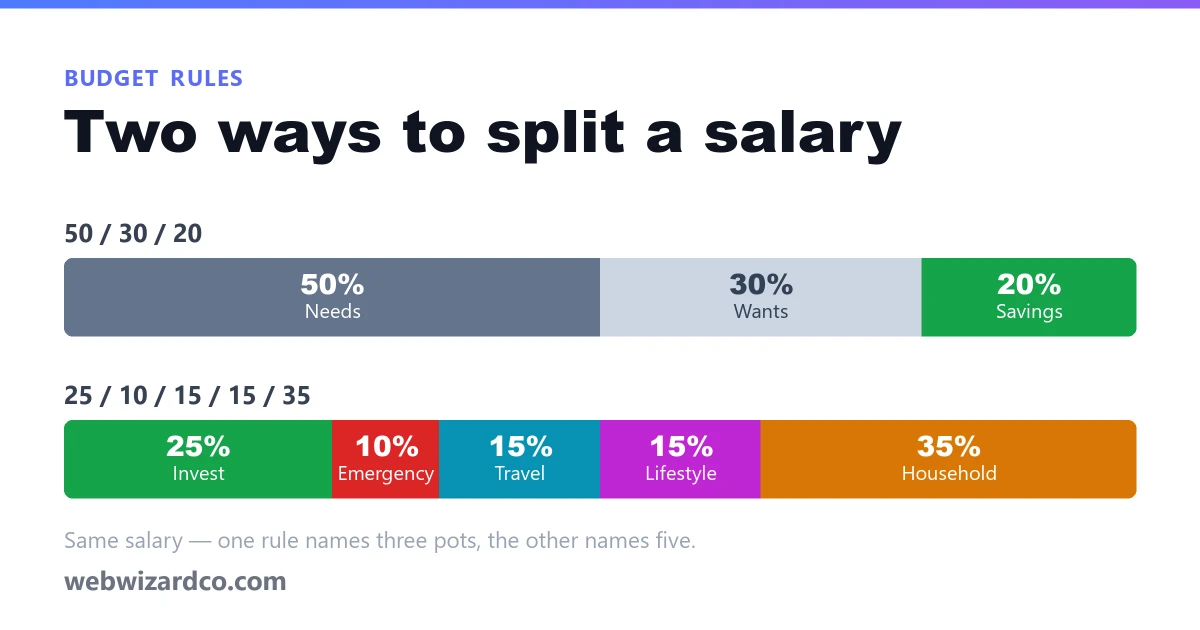
Most trackers tell you what you spent. This one starts from what you were supposed to spend — your salary, split across five buckets on the day it lands — then shows every expense against it, day by day, category by category, month by month.
Free with an account · ₹, $, €, £ or AED · nothing to install
A month in the tracker
Sample figures for a ₹60,000 salary — this is the same chart code the tracker draws for your own months.
Where it went
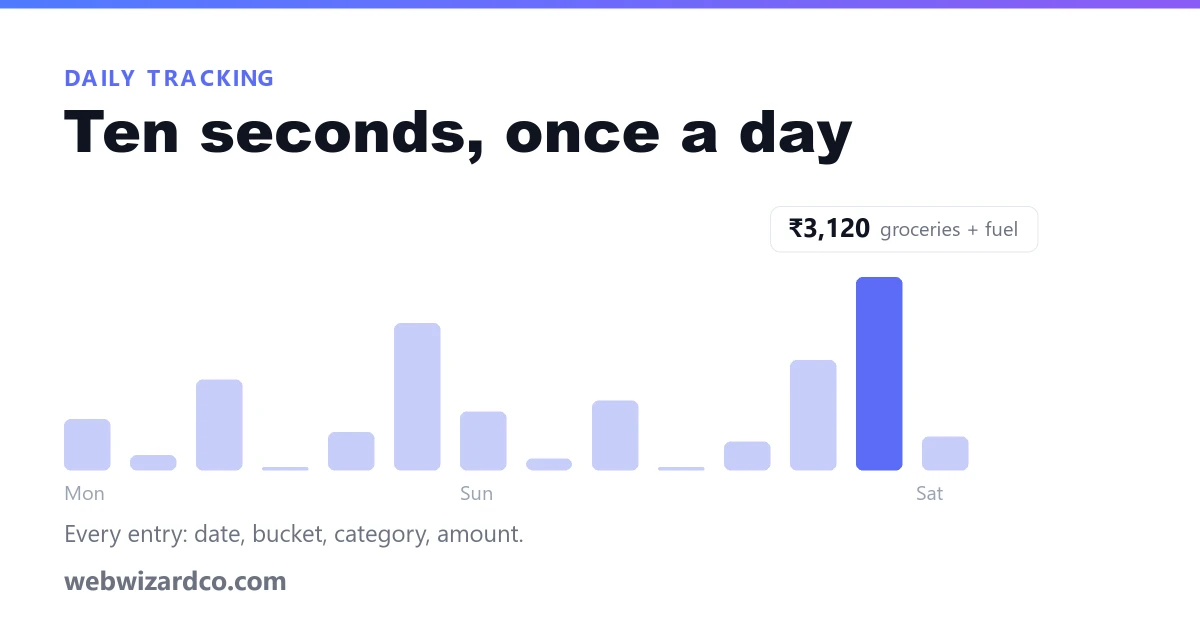
Day by day
Blank days are days you spent nothing — worth seeing, and a spreadsheet never shows them.
What it does
Ten seconds an entry
Date, bucket, category, amount, an optional note — that is the whole form. Today and Yesterday are one tap.
Recurring bills, once
Rent, SIPs, EMIs and subscriptions are set up once with a day of the month and added automatically from then on.
Charts that answer things
Where the money went, whether you are spending faster than the month allows, what the month is on course to end at, and how it compares with the last twelve.
Your own percentages
The 25-10-15-15-35 split is the default, not a rule. Change any of the five as long as they still add up to 100.
Five buckets, 45 categories
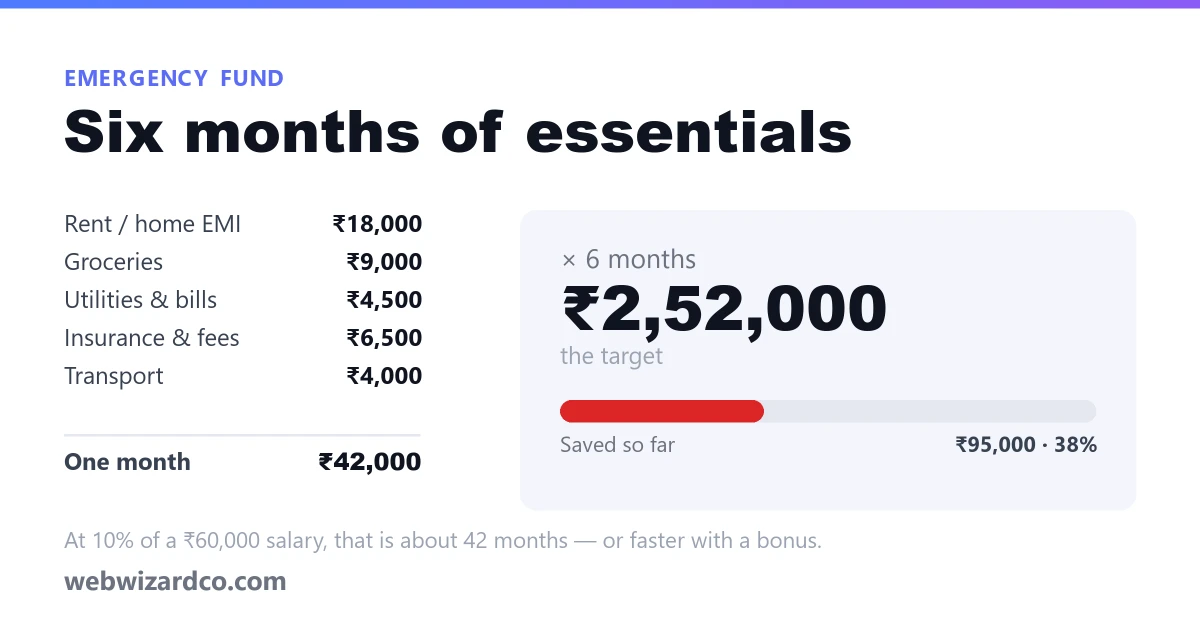
Investments, emergency fund, travel & car, lifestyle and household — each with the categories Indian households actually use, down to LPG, society maintenance and car EMIs.
Private, and free
Your figures sit in your own account and are never sold or shared. No paid plan is needed — the tracker is free, and any month exports to CSV.
Against a spreadsheet, or your bank app
The two things most people try first, and where each one quietly stops working.
| This tracker | A spreadsheet | Your bank app | |
|---|---|---|---|
| Setting it up | Sign up and start — the buckets and categories are already there | Build the sheet, the formulas and the charts yourself | Nothing to set up |
| Adding an expense | Five fields on your phone, a few seconds | Type a row, hope the formula range still covers it | Automatic — but only what went through that account |
| Cash, UPI from another bank, money your partner spent | All of it, because you enter it | All of it | Missed entirely |
| Fixed monthly bills | Added automatically on their date | Retyped every month | Shown after they leave the account |
| Budget per category | Every bucket shows budget, spent and left as you go | Only if you build it | Rarely, and not against your own split |
| Months side by side | Twelve months of history, by bucket or category | A new tab each month | Usually the last few months |
| Cost | Free | Free | Free, and paid for with your data |
Read first, if you like
Start with this month
Enter your salary, add today's expenses, and the rest fills itself in. Free, and it takes about a minute.
Create a free accountHow the tracker works
Three things to do once, and about ten seconds a day after that.
Enter your monthly salary
It is split 25-10-15-15-35 across investments, emergency fund, travel, lifestyle and household — change the percentages if that split does not suit you. The figure carries forward to later months until you change it.
Add your fixed bills as recurring
Rent, SIP, EMIs, insurance, school fees, subscriptions: set each one up once with the day of the month, and it is added on that date every month without you touching it.
Log what you spend, as you spend it
Pick the bucket and category, type the amount, done. Each bucket shows what is budgeted, what has gone and what is left, and the charts update as you go.