Crop an image
Drag to crop, lock an aspect ratio, rotate — processed privately in your browser.
10 free crops a month with a free account — Sign up · unlimited on paid plans
Free, no watermark. Your image never leaves your device.
How to crop an image
Crop any photo to the exact shape you need in three steps — free, and private in your browser.
1
Upload your image
Drag and drop, or click to choose a JPG, PNG or WebP.
2
Drag to crop
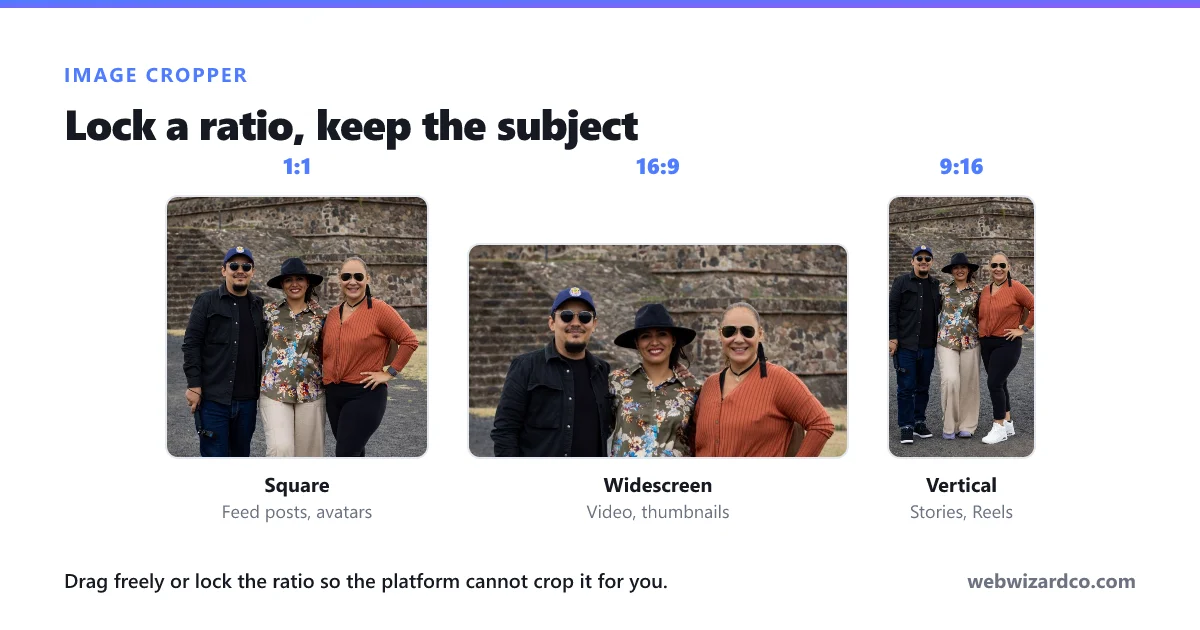
Move and resize the crop box, or lock an aspect ratio like 1:1 or 16:9. Rotate if needed.
3
Download the result
Save your cropped image instantly — no watermark.
Frequently asked questions
Is the image cropper free?
Yes — completely free, with no watermark and no sign-up.
Can I crop to a square or 16:9?
Yes. Pick a ratio button (1:1, 16:9, 4:3, 3:2 and more) and the crop box locks to it — or choose Free for any shape.
Can I rotate while cropping?
Yes, rotate left or right and flip horizontally before you export.
What formats are supported?
JPG, PNG and WebP in and out. You can also keep the original format.
Are my images uploaded anywhere?
No. Cropping happens entirely on your device — your images never leave your browser.