Convert an image
Turn HEIC, JPG, PNG & WebP into any format — including iPhone HEIC to JPG. Processed privately in your browser.
Have several images? Try bulk mode (Pro) →
Convert to
HEIC and HEIF files (from iPhone/iPad) are decoded automatically, then converted to your chosen format.
Free, no watermark. Your image never leaves your device.
How to convert an image
Change an image to JPG, PNG or WebP in three steps — free, and private in your browser.
1
Upload your image
Drag and drop, or click to choose a HEIC, JPG, PNG or WebP file.
2
Pick a format
Choose JPG, PNG or WebP, and set the quality for photos.
3
Download the result
Save your converted image instantly — no watermark.
Frequently asked questions
How do I convert HEIC to JPG?
Upload your iPhone HEIC photo, choose JPG as the output format, and download. It all happens in your browser — your photo is never uploaded.
Is the image converter free?
Yes — completely free, with no watermark and no sign-up required.
Which formats are supported?
You can convert from HEIC, HEIF, JPG, PNG and WebP, and export to JPG, PNG or WebP.
Will converting reduce quality?
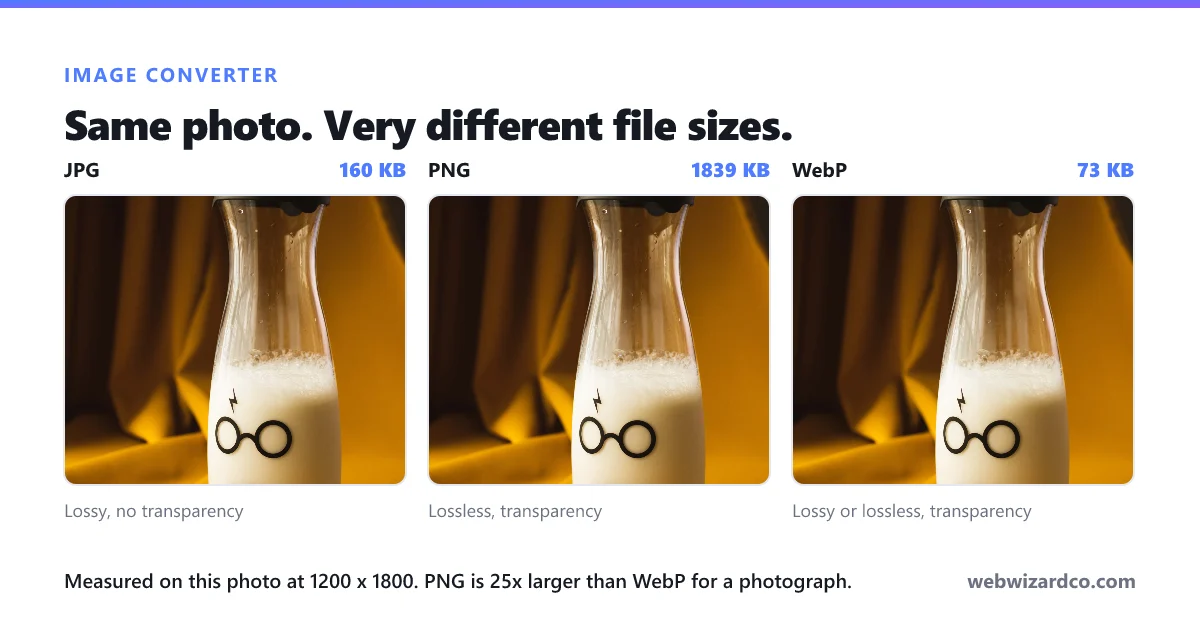
Converting to PNG is lossless. For JPG and WebP you control the quality with the slider.
Are my images uploaded anywhere?
No. Conversion happens entirely on your device — your images never leave your browser.