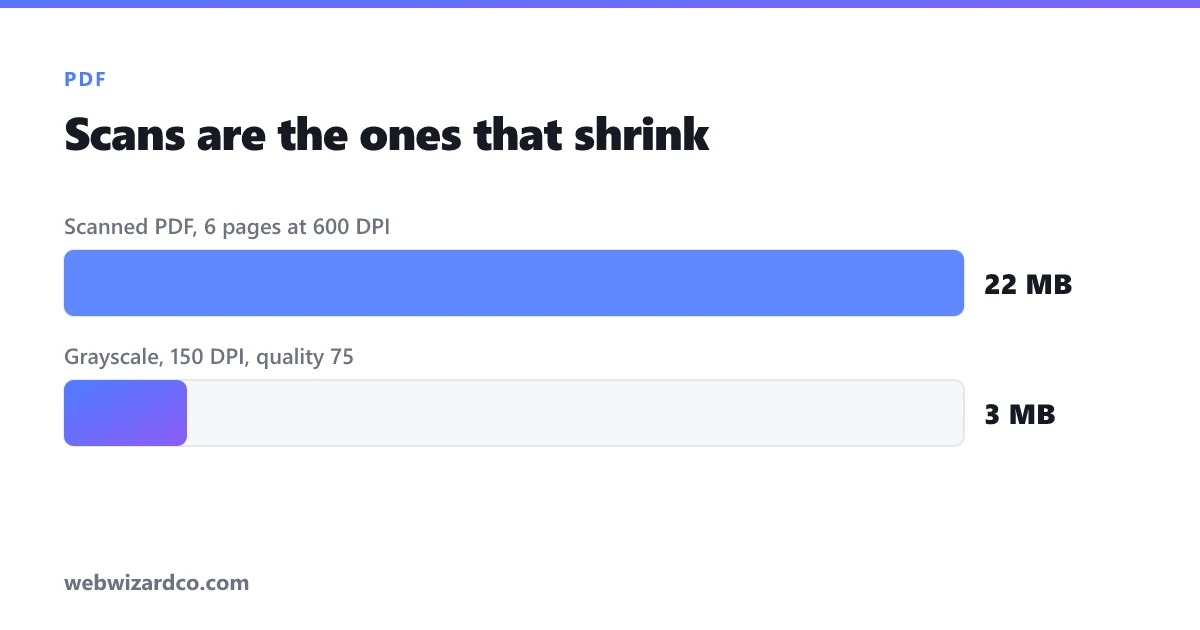
You finish a form, hit attach, and the upload rejects it: maximum file size 5 MB. The PDF is 22 MB. Nothing in it looks like it should weigh that much — it is six pages of a scanned form.
That mismatch is the whole story of PDF file size, and once you understand it the fix is obvious.
Why PDFs get big
A PDF is a container. What is inside it determines the size, and there are two very different kinds of PDF:
- Text-based PDFs — created by exporting from Word, Google Docs, a browser or a design tool. The text is stored as actual characters plus font information. These are small, often under 1 MB for dozens of pages, and you can select and search the text.
- Scanned PDFs — created by a scanner or a phone scanning app. Every page is a photograph of a piece of paper. There is no text in the file at all, just images. A single page scanned at 600 DPI in colour can be 4–8 MB on its own.
Here is the quick test: open the PDF and try to select a sentence with your cursor. If you can highlight individual words, it is text-based. If your cursor draws a box over the whole page instead, it is a scan.
Almost every oversized PDF is a scan. That is where the size is, and that is where you can get it back.
The fix for a scanned PDF
If the pages are images, compressing the images shrinks the file. That is what a PDF compressor does: it re-encodes each page at a lower quality and resolution, then rebuilds the PDF around the smaller pages.
Scanned documents routinely come out 60–90% smaller. A 22 MB scan landing at 3 MB is entirely normal, and on screen the difference is usually not noticeable, because scanners capture far more detail than anyone ever looks at.
Three settings actually matter:
- Quality — how hard each page image is compressed. Around 70–80% is the sweet spot for documents; below about 50% text starts to look furry at the edges.
- Scale — the resolution the pages are rebuilt at. Dropping a 600 DPI scan to roughly 150 DPI is invisible on a screen and still fine for printing a reference copy.
- Grayscale — if the document is black text on white paper, colour is storing nothing but scanner noise. Converting to grayscale often removes a third of the file on its own.
The trade-off you need to know about
This is the part most tools do not tell you clearly: compressing a PDF this way rasterises the pages. Each page becomes an image, so any selectable text in the original stops being selectable, and the document is no longer searchable.
For a scan that never had selectable text, you lose nothing at all — it was already images. That is why this approach suits scans so well.
For a text-based PDF, you would be throwing away the searchable text to save space you probably do not need to save. Do not compress those. If a text PDF is somehow large, the cause is almost always embedded photos or an oversized logo, and the right fix is upstream.
If your PDF is text-based and still too big
- Find the images. A single 5000px photo dropped into a report can be most of the file.
- Shrink them before exporting. Run each photo through an image compressor or a resizer first — an image displayed at 600px wide does not need to be 5000px.
- Export again. Most applications have "reduce file size", "optimise for web" or a similar option in the PDF export dialog.
- Check what fonts are embedded. Fully embedded font families add megabytes. Subsetting embeds only the characters actually used.
How small does it actually need to be?
Worth checking before you compress at all, because the limits vary a lot:
- Gmail, Outlook and most email — 20–25 MB per message, and the practical limit is lower because attachments are encoded and grow about 33% in transit.
- Government and visa portals — frequently 2 MB, sometimes 500 KB per document. These are the strictest by far.
- Job application systems — usually 5 MB for a CV.
- University and course submissions — commonly 10–20 MB.
Aim comfortably under the limit rather than exactly at it. A file that scrapes in at 4.98 MB against a 5 MB cap will sometimes still be rejected, because different systems count megabytes slightly differently.
A note on privacy
PDFs that need compressing tend to be exactly the documents you would least like to hand to a stranger: passports, bank statements, signed contracts, medical forms. Most online PDF compressors upload your file to their server, process it there, and keep it for some period afterwards.
Our PDF compressor runs entirely in your browser. The file is opened, re-encoded and saved on your own device, and never sent anywhere. For an ID scan, that difference matters more than a few hundred kilobytes.
Quick reference
- Cannot select the text? It is a scan — compress it, and expect 60–90% savings.
- Can select the text? Do not rasterise it; fix the images inside instead.
- Black and white document? Turn on grayscale before anything else.
- Still too big? Drop the scale before you drop the quality — resolution is usually the cheaper thing to lose.