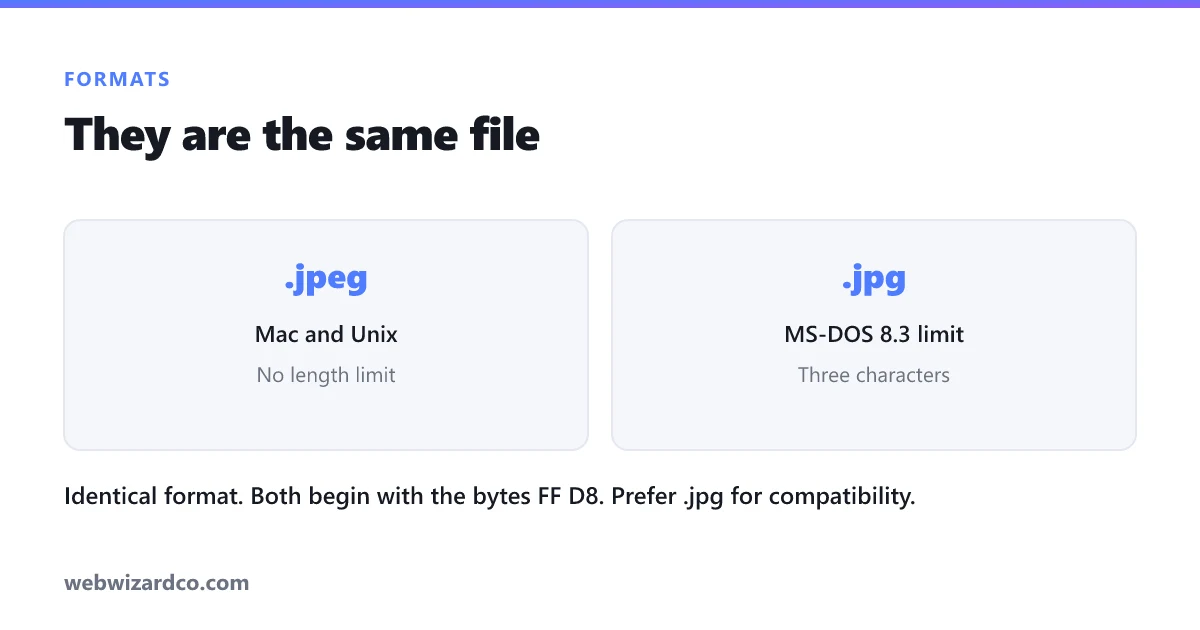
Short answer: there is no difference. JPEG and JPG are the same file format, the same compression, the same quality. Renaming photo.jpeg to photo.jpg changes nothing inside the file.
But the question gets asked constantly, and the reason two spellings exist is genuinely interesting — plus there are several real format confusions sitting nearby that do matter.
Why there are two spellings
The format is named after the group that created it: the Joint Photographic Experts Group. The natural abbreviation is JPEG, four letters, and that was the original extension on systems that allowed it.
Then MS-DOS and early Windows imposed the 8.3 filename limit — a maximum of eight characters for the name and three for the extension. Four letters would not fit, so Windows used .jpg. Mac and Unix, with no such limit, carried on with .jpeg.
The 8.3 restriction disappeared with Windows 95. The two spellings did not, because by then millions of files existed with each. Every operating system and application now treats them identically.
How to prove it to yourself
Rename any .jpeg file to .jpg. It still opens. Rename it back. Still opens. Nothing has changed, because the extension is only a label — the actual format is identified by bytes inside the file.
Every JPEG begins with the same two bytes, FF D8, regardless of what the filename says. That signature is what image software actually reads. It is also why renaming a PNG to .jpg does not convert it: the bytes still say PNG, and anything strict enough to check will reject the file as corrupt.
Which should you use?
Use .jpg. Not because it is better, but because it is more common, and a small number of older or badly written systems still assume three-letter extensions. Some upload forms validate against a hardcoded list that includes jpg and forgets jpeg, which is a maddening error to debug when the file is perfectly valid.
If a form rejects your .jpeg, rename it to .jpg and try again. That is one of the rare cases where renaming genuinely fixes something — you are working around a broken validator, not changing the file.
The confusions that do matter
While we are here, these are the format distinctions that are not cosmetic:
- JPEG vs PNG — a real difference. JPEG is lossy and made for photographs; PNG is lossless, supports transparency, and is made for logos, screenshots and graphics with flat colour. Saving a photo as PNG produces an enormous file for no benefit. See PNG vs JPG vs WebP.
- JPEG vs JPEG 2000 — genuinely different formats. JPEG 2000 (
.jp2) is a separate standard from 2000 with better compression, and it never achieved broad support. If you have one, convert it. - JPEG vs JFIF — JFIF is the container specification that standard JPEG files actually use. If you have a
.jfiffile, it is a JPEG with an unusual extension; rename it to.jpgand it opens. - JPEG vs HEIC — a real difference, and the one most people hit. iPhones save as HEIC, which is roughly half the size at similar quality but poorly supported outside Apple's ecosystem. See converting HEIC to JPG.
- Progressive vs baseline JPEG — same format, different byte ordering. A progressive JPEG loads as a blurry full image that sharpens, rather than top to bottom. Slightly smaller and it feels faster on slow connections. Both are ordinary JPEGs.
The thing that actually affects your image quality
Not the extension — the quality setting you export at, and how many times you have re-saved the file.
JPEG is lossy: every save discards detail permanently. Open a JPEG, edit it, save it, and repeat, and you accumulate damage each time. This is generation loss, and it is why heavily reshared images look blocky and smeared. The compression is not analysing the image the way you do — it is discarding fine variation it predicts you will not notice, and doing that repeatedly compounds.
Two habits avoid it:
- Keep your original. Always edit from the source file, not from a JPEG you exported earlier.
- Export once, at the end. Do all your edits, then save to JPEG as the final step at around 80% quality. Do not save at 80%, reopen, edit and save at 80% again.
If you need to change the format itself, the converter handles JPG, PNG, WebP and HEIC in your browser, and lets you set the quality on export. Nothing is uploaded.
The summary
JPEG and JPG are identical. Prefer .jpg for maximum compatibility. Ignore anyone who tells you one has better quality than the other. And if you want your images to actually look good, spend your attention on the export quality and on not re-saving the same JPEG repeatedly — that is where real quality is won and lost.