The favicon is the small icon in a browser tab, bookmark list and history. It is the smallest piece of design on your site and one of the most seen — and most sites either skip it or squeeze in a shrunken logo that reads as a grey smudge.
The only constraint that matters
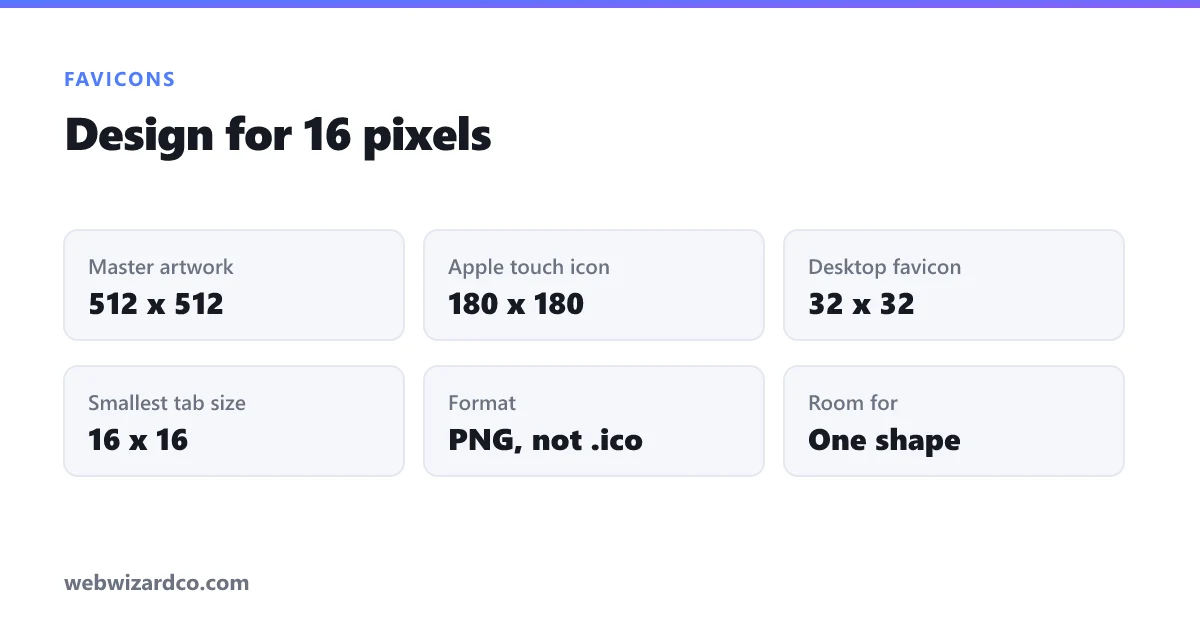
Browsers display favicons at 16 × 16 pixels in the tab. Sixteen. That is smaller than the text you are reading now.
At that size you have room for roughly one shape or one letter. Not a wordmark, not a tagline, not a detailed illustration, not your full logo. Anything more becomes mush.
The reliable test: design it, shrink it to 16px, and look at it from normal viewing distance. If you cannot tell what it is, simplify further. Almost every good favicon is one of three things — a single bold letter, one simple symbol, or a solid shape with a letter knocked out of it.
Design rules that follow from that
- High contrast. The icon sits against a browser chrome that is light in one theme and dark in another. Mid-greys disappear in both.
- Few colours. One or two. Gradients mostly vanish at 16px.
- Thick strokes. A one-pixel line at display size is invisible. Hairline detail is wasted effort.
- No text beyond a single character. Two letters is usually already too many.
- Fill the square. Generous padding shrinks your already tiny artwork. Let the shape run close to the edges.
- Consider a solid background. A coloured square with a knocked-out symbol reads far better in a crowded tab bar than a floating transparent shape, because it gives the eye an edge to catch.
The sizes to produce
This used to require a small pile of files. It is much simpler now:
- 512 × 512 PNG — your master. Everything else derives from it, and it is what Android and PWA installs use.
- 180 × 180 PNG — the Apple touch icon, used when someone adds your site to an iPhone home screen.
- 32 × 32 PNG — the classic desktop favicon size, also used in bookmarks.
- 16 × 16 PNG — optional now; browsers downscale 32px acceptably, but supplying it gives you control over how it looks at the smallest size.
Design at 512 and scale down. The resizer produces each size in your browser, and the converter handles the format if your source is a JPG. If your artwork has a background you want removed first, the background remover gives you a transparent PNG to start from.
Do you still need an .ico file?
Almost certainly not. The .ico format exists because Internet Explorer required it. Every browser in current use supports PNG favicons, and PNG is easier to produce and looks better.
You would only want .ico if you specifically support very old Internet Explorer, which for most sites in 2026 means never. Use PNG.
How to install it
Put the files in your site root and add this to the <head> of every page:
<link rel="icon" type="image/png" sizes="32x32" href="/favicon-32.png">
<link rel="icon" type="image/png" sizes="16x16" href="/favicon-16.png">
<link rel="apple-touch-icon" href="/apple-touch-icon.png">
Browsers pick the closest match to what they need. If you only ship one file, make it the 32px PNG.
Why your new favicon is not showing
This causes more confusion than the design does. Favicons are cached aggressively — often far longer than other assets, and sometimes independently of your normal browser cache, so a hard refresh does not clear it.
Things to try, in order:
- Open the icon file directly —
yoursite.com/favicon-32.png. If that 404s, the path in your<link>is wrong. This is the actual problem more often than caching. - Try a private or incognito window, which usually bypasses the favicon cache.
- Try a different browser to confirm the file itself is fine.
- Wait. Some browsers hold a favicon for days regardless of what you do.
Do not spend an afternoon redesigning something that was already working — check the direct URL first.
One last check
Open your site in a window with a dozen tabs open, and look at it the way a real user would: small, crowded, at a glance. That is the only test that matters. A favicon that is legible and distinct in that context is doing its job, no matter how simple it looks at full size.