Cropping is the single highest-impact edit available, and the most underused. No filter improves a photo as much as removing the parts that were never adding anything.
Start by subtracting
Most photos contain things the photographer never intended: a bin at the edge of the frame, an expanse of empty sky, a stranger's elbow. Before thinking about rules, ask one question: what is this photo of? Then crop away everything that isn't supporting that answer.
The composition rules worth knowing
Rule of thirds
Divide the frame into a 3 × 3 grid. Placing your subject on one of the lines — or better, an intersection — is usually more dynamic than dead centre. For portraits, put the eyes roughly on the upper third line. For landscapes, put the horizon on the upper or lower third rather than slicing the frame in half.
Leave room to look
If your subject faces or moves left, leave more space on the left. A subject pressed against the edge they're facing feels cramped and unbalanced.
Fill the frame
The opposite trick, and just as effective: crop hard and let the subject dominate. Great for portraits, food and product shots. Intimacy comes from proximity.
Watch your edges
Never crop at a joint — wrists, ankles, knees, elbows. It reads as amputation. Crop mid-limb instead. And never let a horizon line grow out of someone's head.
Straighten first
A tilted horizon is the most noticeable flaw in any photo. Straighten before you crop, since rotation costs you some edges.
Which aspect ratio to use
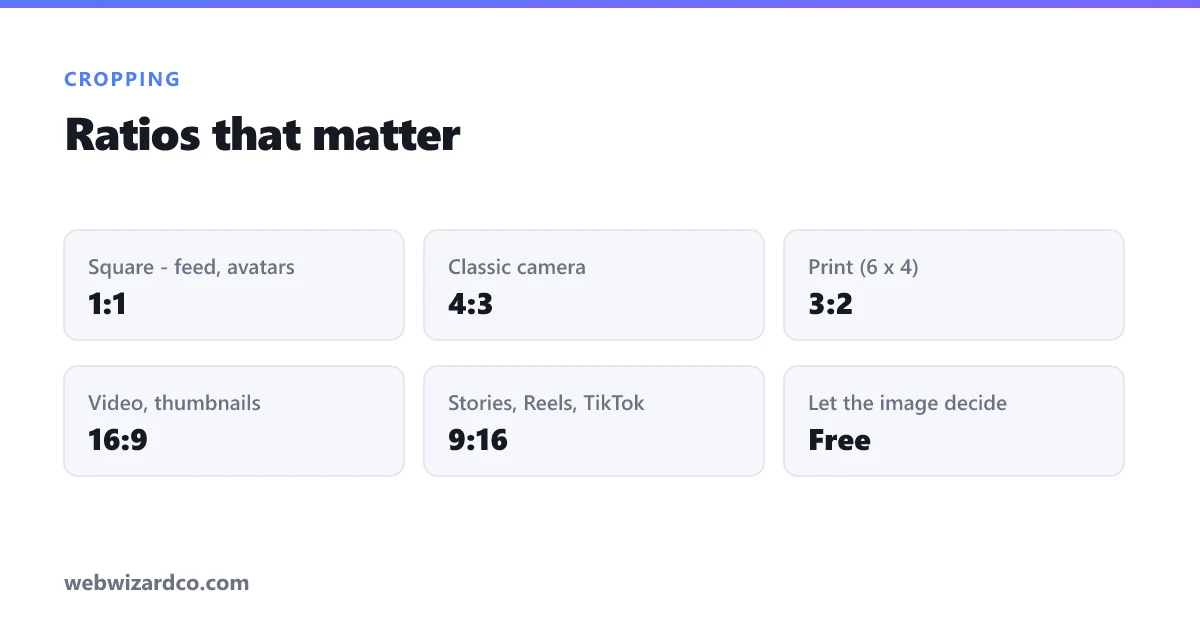
- 1:1 square — Instagram feed, profile pictures, product listings. Neutral and symmetrical.
- 4:3 — the classic camera/phone ratio; natural for general photography.
- 3:2 — the 35mm film ratio; standard for prints (4 × 6).
- 16:9 — video, YouTube thumbnails, website banners; wide and cinematic.
- 9:16 — Stories, Reels, TikTok; full-screen vertical.
- Free — when the image dictates the shape rather than the platform.
Our cropper has all of these as one-click locks, so you can crop to an exact ratio without eyeballing it. There's also a social media size guide if you need exact pixel dimensions.
Crop for the platform, not just the photo
A beautiful wide landscape becomes an unrecognisable sliver in a square feed. If an image matters, crop a separate version for each place it's used rather than uploading one and letting the platform crop it automatically — automated crops routinely cut off faces and text.
The one thing to be careful about
Cropping throws away pixels permanently. Crop a 4000px photo to a quarter of its area and you have a 2000px photo. That's usually still plenty, but crop aggressively from an already-small image and you'll hit the resolution limit — which is when you'd reach for the AI upscaler to bring the usable size back.
Always crop from the original file, and keep it. Then you can re-crop differently later instead of cropping a crop.