People run some remarkably sensitive things through free online image tools. Passport scans. Signed contracts. Bank statements converted to PDF. A photograph of a driving licence for a verification form. A signature lifted off a sheet of paper.
It is worth knowing what happens to those files. The answer is not "online tools are dangerous" — it is more specific and more useful than that.
Two completely different architectures
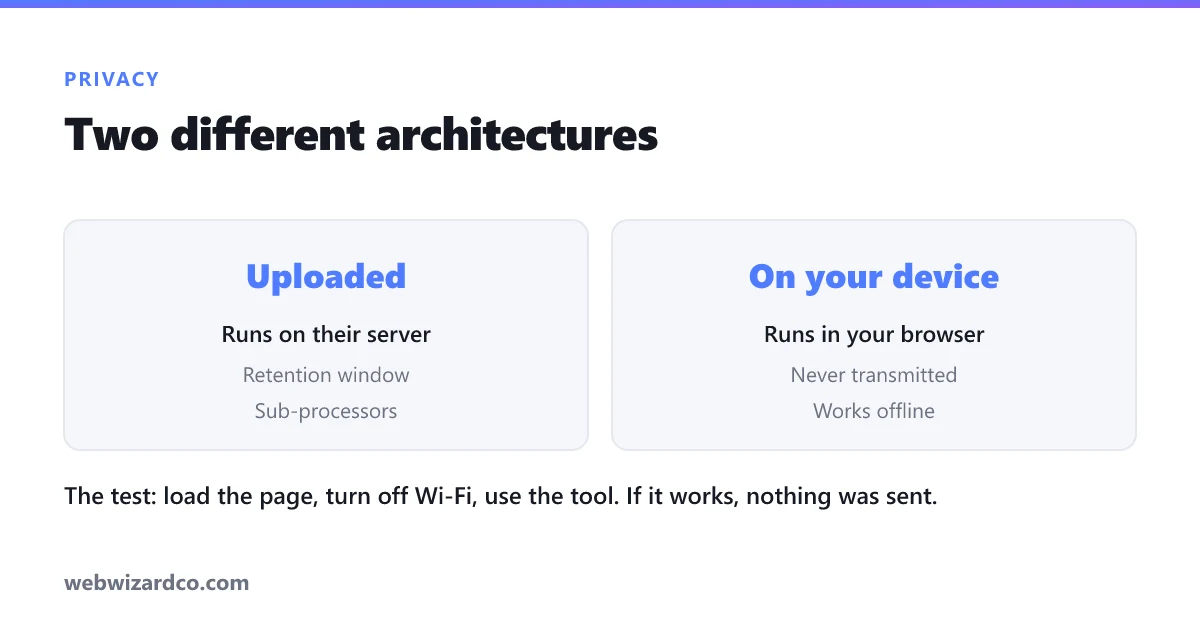
Every browser-based image tool works one of two ways, and the difference decides everything else.
Server-side: your file is uploaded
You choose a file, it is transmitted to the company's servers, processed there, and the result is sent back for you to download. This is how most free image tools have always worked, for a straightforward reason: heavy image processing used to be impossible in a browser.
Your file now exists on someone else's computer. What happens next depends on their policies, their competence, and their commercial incentives.
Client-side: your file never leaves
The processing code is downloaded to your browser and runs on your own device. The file is opened locally, processed locally, and saved locally. No copy is ever transmitted.
This became practical only recently, thanks to WebAssembly and WebGPU — browsers can now run compression, format conversion and even neural networks at usable speed. Every tool on this site works this way, which is why they keep working when your connection drops mid-task.
What the terms usually say
Read the privacy policy of a server-side tool and you will typically find some combination of:
- A retention window. "Files are deleted after 1 hour" or "after 24 hours" is standard. This is usually honest. But it means your passport scan sits on a third-party server for that window, and deletion is a promise you cannot verify.
- Sub-processors. Files are commonly handled by cloud storage, CDN and analytics providers. Each is another organisation with access.
- A licence grant. Some terms include broad language about the right to "use, reproduce and modify" uploaded content in order to provide the service. Usually this is lawyers being careful about the mechanics of processing. Occasionally it is broader than it needs to be.
- Training rights. This one has grown quickly. Some services reserve the right to use uploaded images to improve their models. If you upload client work or personal photos, this deserves a careful read.
None of this makes those services malicious. Storage and bandwidth cost real money, so a free server-side tool is monetising something — ads, a paid tier, or the data itself. It is worth knowing which.
How to tell whether a tool uploads your file
You do not have to take anyone's word for it. Two checks, neither requiring any technical background:
The offline test (ten seconds)
- Load the tool's page normally.
- Turn off your Wi-Fi or unplug the network.
- Now use the tool.
If it still works, the processing is happening on your device — there is nowhere else it could be happening. If it fails or hangs, your file was being sent somewhere. This is the most convincing test there is, and it takes no expertise at all.
The network tab
Press F12, open the Network tab, and use the tool. Watch for a request whose size is roughly the size of your image. An upload of a 4 MB photo cannot hide — it appears as a multi-megabyte outgoing request. If everything listed is small (scripts, styles, fonts), nothing left your machine.
One thing that will legitimately appear on a client-side AI tool is a large download the first time you use it — our background remover fetches a roughly 40 MB model. That is the AI arriving on your device, which is the opposite of your image leaving it.
What client-side processing does not protect you from
Being straight about the limits, because "runs in your browser" is not a blanket guarantee:
- Analytics and ads still exist. This site uses Google Analytics and serves ads to visitors on the free tier. Those see page visits, not your images — but they are still third-party scripts, and worth knowing about. Ours are described in the privacy policy.
- Accounts involve a server. If a tool has sign-up, your email and usage counts live in a database, even when your images never do.
- Your device is still your device. Client-side processing is no defence against malware on the computer you are using.
- The page could change tomorrow. A site that processes locally today could ship an update that uploads. Re-run the offline test occasionally on anything you rely on.
A sensible rule of thumb
Match the tool to the sensitivity of the file:
- Identity documents, financial records, signatures, medical forms, anything under NDA — client-side only, or offline software. The consequences of a breach are permanent, and these are precisely the files people upload most casually.
- Client work and unreleased material — check for training-data clauses specifically.
- A holiday photo you are about to post publicly — genuinely does not matter. Use whatever is convenient.
The point is not that uploading is always wrong. It is that most people have never considered the question, and so apply the same casual habit to a passport scan as to a meme.
Why we built it this way
The tools here — background removal, compression, conversion, resizing, cropping, upscaling and PDF compression — all run on your device. Our server handles accounts and usage limits and never receives an image.
There is an honest trade-off in that choice. Processing speed depends on your hardware, the AI tools have size limits on modest devices, and the first run of the background remover has to download the model. A server with a rack of GPUs would be faster.
We think it is the right trade for the kinds of files people bring to these tools. And you do not have to believe us — turn off your Wi-Fi and try it.